iOS property management app

    An iOS property management app for work in the field

    Habyn Mobile brings maintenance alerts, site photos, tenant messaging, and rental visibility to landlords and property teams on the go.

    View Pricing

    Best for

    Landlords and property managers using iPhone

    Capture site photos and field notes from your phone

    Get maintenance and tenant updates while away from the desk

    Join the TestFlight waitlist from the mobile beta page

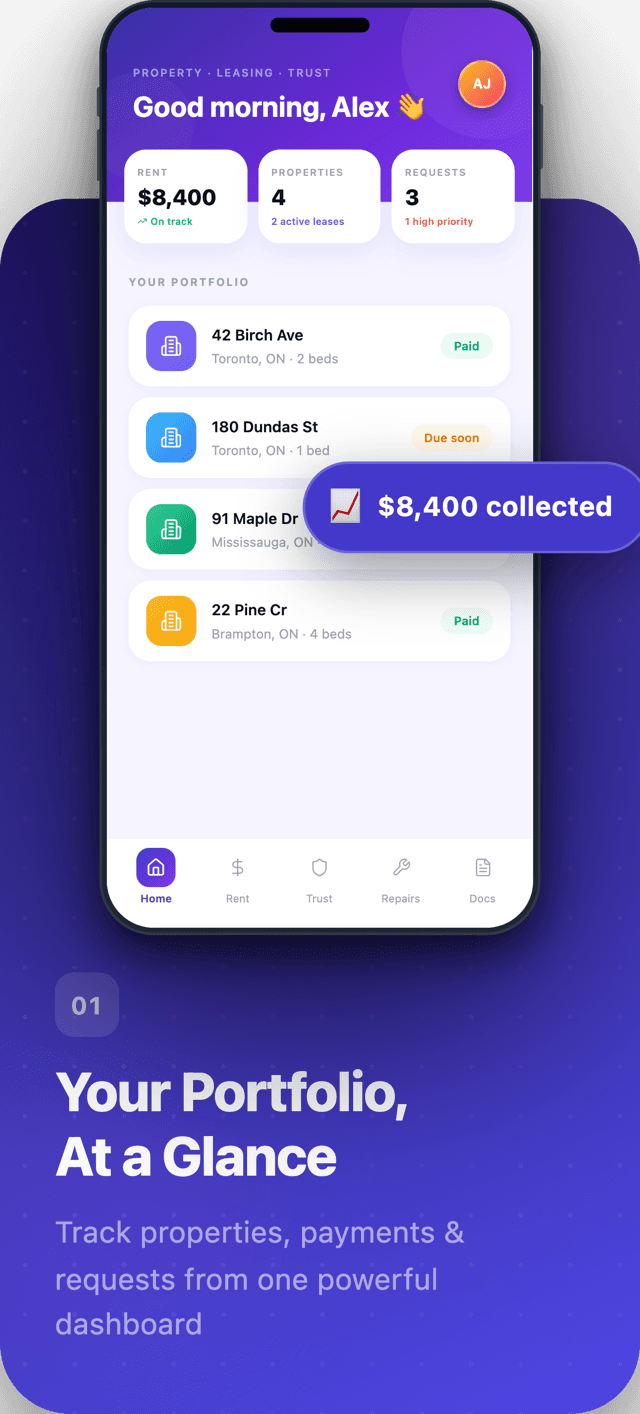
    Habyn for iOS dashboard showing a property portfolio, rent collected, and recent activity
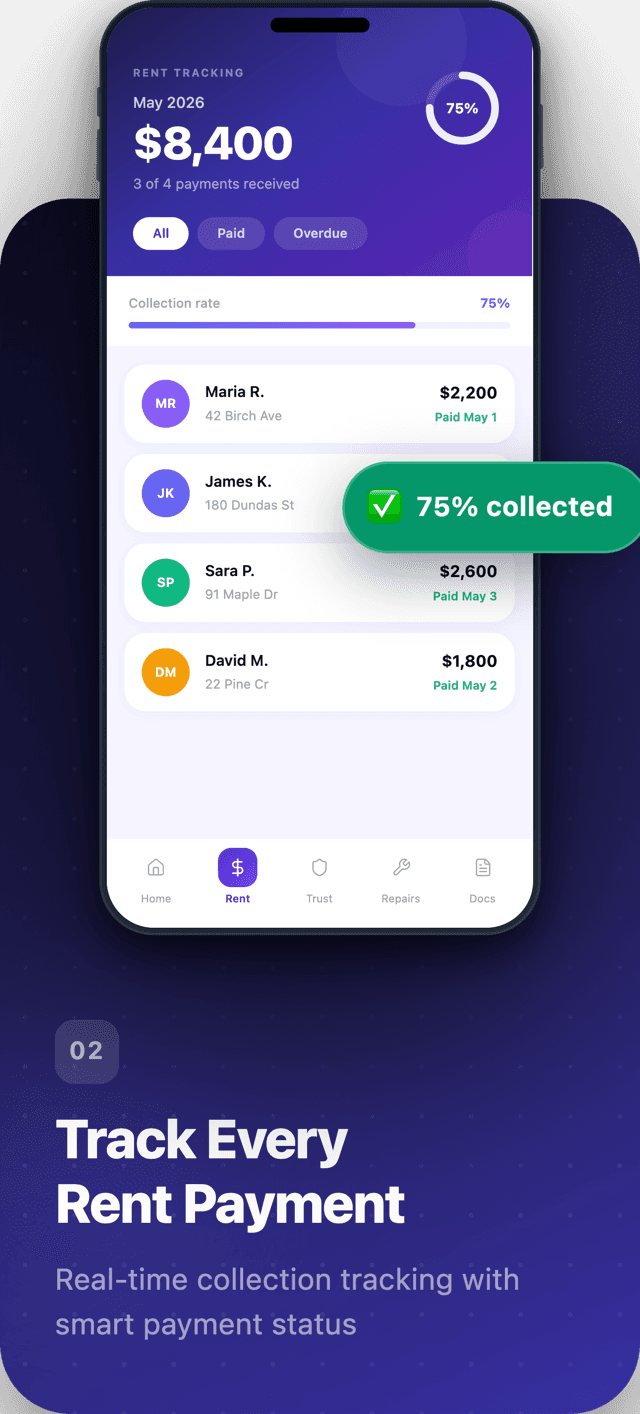
    Habyn for iOS rent tracking screen with payment status per unit
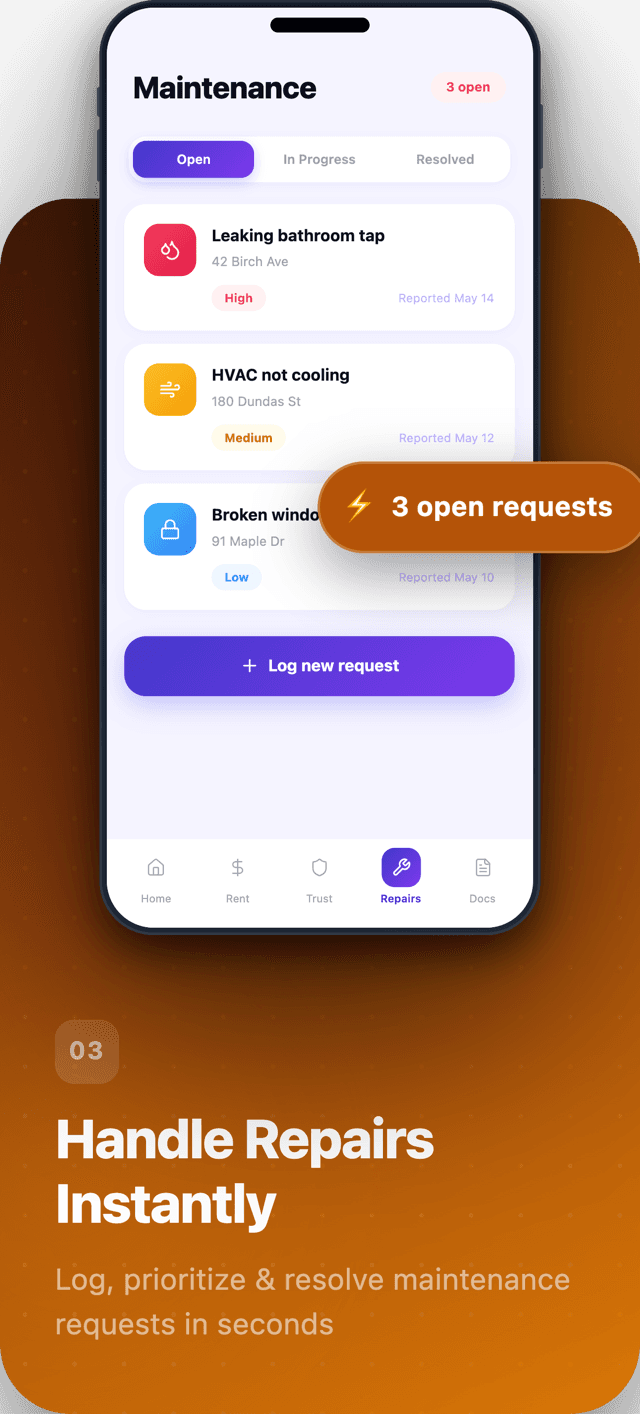
    Habyn for iOS maintenance screen with repair requests and status
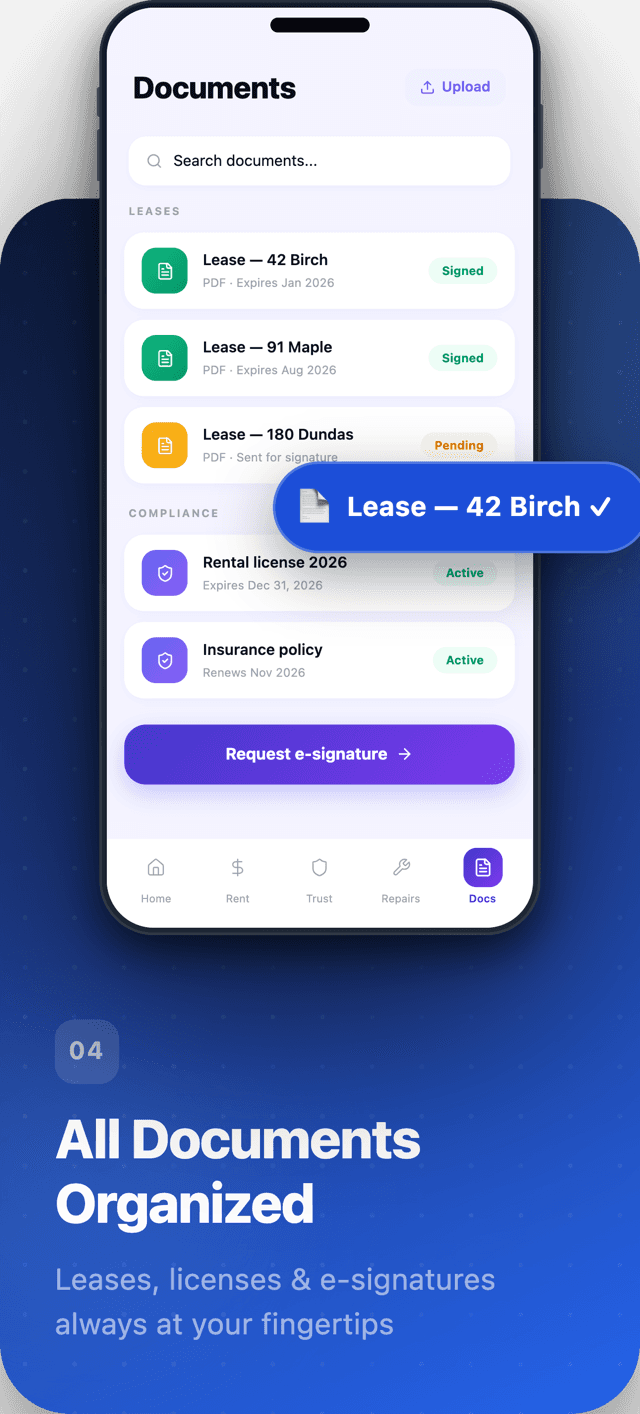
    Habyn for iOS documents screen with leases and files by property
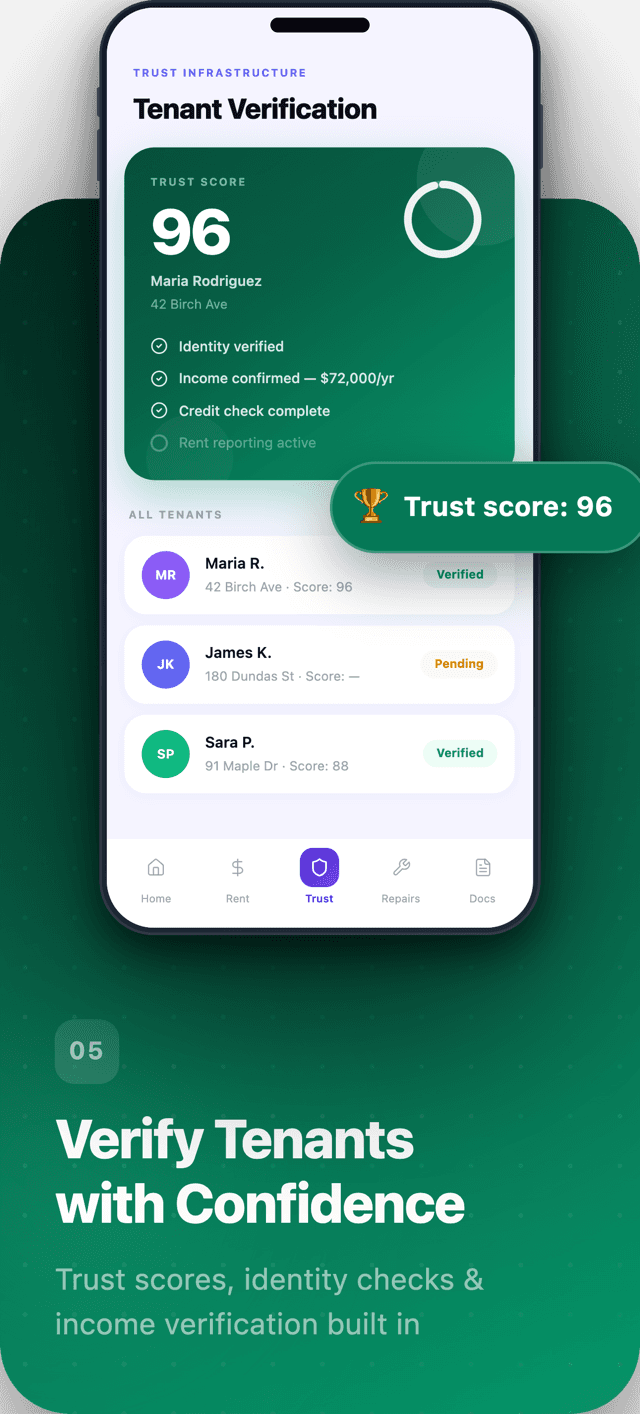
    Habyn for iOS trust and verification screen

    Property management that works where you do

    Property work does not happen at a desk. It happens at the unit during an inspection, in the stairwell with a contractor, on the sidewalk after a showing, and in the doorway during a tenant conversation. Habyn Mobile is designed for those moments. It puts maintenance alerts, site photos, tenant messaging, and rental visibility on your iPhone, connected to the same property operating system you use everywhere else. What you capture on your phone lands on the record right away, so nothing waits for you to get back to the office. The app is in beta today through a TestFlight waitlist, built in Canada with deep Ontario coverage and the full Habyn platform behind it.

    How it works

    1. 1

      Join the TestFlight waitlist

      Add your name to the Habyn Mobile beta waitlist. We are onboarding landlords and property teams in groups, so you get an invite when your spot opens.

    2. 2

      Install through TestFlight

      Accept your invite and install the beta build through Apple TestFlight. Sign in with the same Habyn account you already use on the web.

    3. 3

      Use it in the field

      Take site photos, respond to maintenance alerts, message tenants, and check rental status from wherever the work is actually happening that day.

    4. 4

      Stays synced everywhere

      Everything you capture on your phone flows into the same property records, so your desktop, your team, and your tenant portal see it without re-entry.

    Built for work outside the office

    Most property work happens away from a keyboard, so Habyn Mobile is built for one-handed moments between tasks. Push notifications surface maintenance and message activity the instant it lands. Photo upload captures the state of a unit while you are standing in it. Tenant messaging keeps the conversation in one place. Rental visibility tells you where things stand without a phone call back to the office first.

    • Push notifications for maintenance and messages
    • Site photo capture from the unit itself
    • Tenant messaging in one shared thread
    • Rental status visible at a glance
    • Designed for quick, one-handed use

    Connected to the full platform

    Habyn Mobile is not a separate app with its own copy of your data. It reads and writes the same property operating system you use on the web, so a photo from an inspection, a note on a repair, or a reply to a tenant all sit against the right property, unit, and lease. Maintenance history, lease documents, and verification context travel with you instead of staying back at the desk.

    • Same property records as the web app
    • Maintenance history attached to each unit
    • Lease documents available on site
    • Tenant portal context while you message
    • Verification workflows in your pocket

    Designed for Canadian property work

    Habyn is built in Canada with deep Ontario coverage, and the mobile app carries that focus into the field. The records you touch on your phone follow the same structure as the rest of the platform, so the way you track leases, rent, maintenance, and documents stays consistent whether you are at a unit, in your truck, or back at your desk. One system, one set of records, wherever the day takes you.

    • Built in Canada with deep Ontario coverage
    • Consistent records across phone and web
    • Leases, rent, maintenance, and documents in one place
    • Property, unit, and lease structure carried into the field

    At the desk later vs on Habyn Mobile

    Field work that waits to be typed up later loses detail and slows everyone down. Capturing it on your phone while you are there keeps the record accurate and the rest of your team current.

    What you track
    Spreadsheets
    With Habyn
    Inspection photos
    Photos sit in the camera roll
    Captured against the unit
    Repair notes
    Scribbled to enter later
    On the maintenance record now
    Tenant replies
    Remembered for the next login
    Answered from the field
    Rent questions
    Call the office to check
    Status visible on the spot
    Team visibility
    Waits until you are back
    Synced for everyone right away

    Built in Canada, ready for the field

    Habyn is a property operating system built in Canada with deep Ontario coverage, unifying property records, leases, rent, maintenance, documents, and tenant trust in one place. Habyn Mobile brings that system to your iPhone for the moments that happen away from your desk. The app is in beta today through Apple TestFlight, and we are inviting landlords and property teams in groups. Join the TestFlight waitlist to claim your spot, and you will get an invite to install the beta as your group opens up.

    Frequently asked questions

    Is the Habyn iOS app on the App Store?

    Not yet. Habyn Mobile is in beta and available through Apple TestFlight, not the public App Store. Join the TestFlight waitlist and you will receive an invite to install the beta build as we onboard landlords and property teams in groups.

    How do I join the beta?

    Add your name to the TestFlight waitlist. We onboard in groups, so when your spot opens you get an invite, install the beta through Apple TestFlight, and sign in with the same Habyn account you already use on the web.

    Does the app use the same data as the Habyn web app?

    Yes. Habyn Mobile reads and writes the same property operating system as the web app. A photo, a repair note, or a tenant reply you capture on your phone sits against the right property, unit, and lease, with no separate copy and no re-entry later.

    Who is Habyn Mobile designed for?

    It is designed for landlords and property managers who do real work in the field on an iPhone. If you run inspections, coordinate repairs, host showings, and message tenants away from your desk, the beta is built for those moments and keeps everything on the record.

    Is Habyn built for Canada?

    Yes. Habyn is built in Canada with deep Ontario coverage, and the mobile app carries that focus into the field. Leases, rent, maintenance, and documents follow the same structure on your phone as on the web, so your records stay consistent wherever you work.